

Have you ever wondered why some local companies get more calls and foot traffic than others, even when they offer the same service?
We’ll define what a business profile is and why a complete listing matters for any service company. A clear profile gives customers accurate hours, address, contact info, photos, and reviews so they can act fast.
Showing up in local search and on google maps drives calls, messages, and visits. Good listings build trust through consistent information and strong reviews. That boosts visibility where users already look—on search and maps.
We help service businesses across the United States turn online visibility into real clients with data-driven campaigns. Keep our number handy as we walk through claiming, verifying, and optimizing a profile that turns searches into booked appointments.
Why Google Business Profile Matters for Service Businesses Today
When nearby customers search, the right listing can turn queries into booked jobs.
For service companies, a google business profile acts like a mini-website in search results and on google maps. It shows hours, services, photos, and reviews where customers compare options in seconds.
That visibility in local search drives measurable results: calls, messages, and appointment requests. A complete business profile sends clear information and signals relevance to users and search engines alike.
Customer reviews — including negative reviews handled well — build trust and lift conversion rates. We use posts, photos, and verified hours to keep listings fresh and persuasive.
As an example, an HVAC contractor that adds seasonal offers and updated images climbs the local pack during peak demand. We align the listing with ads, SEO, and social marketing so visibility converts to qualified leads, not just clicks.
Understanding the Difference: Business Profile vs. Managing Your Profile
A visible listing is only half the story; the management account gives you control and tools.
The business profile is the public listing customers see in local search and maps. It shows hours, phone, photos, and reviews.
The management account is different. A google account is required to claim the listing, edit information, respond to reviews, post updates, and view Insights in the dashboard.
Without ownership, users can add wrong details or outdated hours. We manage profiles nationwide and make sure you own account access so your name, category, and contact stay correct.
Categories shape how you appear for relevant searches. Choosing the right primary category and supporting categories boosts local relevance and clicks.
For example, an unclaimed clinic had the wrong phone and closed hours. After we claimed the listing, corrected data, and added services, calls rose quickly. We document ownership and set user roles so access survives staff changes.
Get Started: Claiming and Verifying Your Business on Google
Let’s walk through the steps to secure ownership and verify your service listing so you can start capturing leads.
First, find your record on google maps and click the visible prompt to claim or manage the listing. Make sure we connect the listing to the correct google account so access stays with your team.
If the listing is unverified, you’ll see verification options: phone, email, postcard to your address, recorded video, or a live video call. Timelines vary by method; postcards usually arrive in one to two weeks.
If another user controls the business profile, request access from the Create page. The current owner has three days to respond, and ownership transfers after approval or the waiting period.
Set a service area if you don’t serve customers at a street location. During setup confirm the business name formatting, primary category, phone number, and location marker are accurate.
For example, a home service company verified by postcard, enabled messaging, and captured new inquiries within days of verification.
Google Business Profile Setup Essentials
We start by filling every core field so prospects face no friction when they try to reach you.
First, we confirm your exact business name and format it to policy standards. We pick the most accurate primary category and add relevant secondary categories to help your listing appear in the right search results.
Next, we verify your address, pin placement on google maps, hours (including holiday and special hours), and service areas. We add your phone number, website, and contact information so actions are immediate.
We also upload initial photos — logo, cover, interior, and team shots — to humanize the brand. Then we add services, products, and an appointment URL when applicable to streamline bookings.
Attributes like wheelchair accessible, veteran-led, or telehealth are set to clarify offerings at a glance. We confirm consistency with your site and other directories to avoid mixed information.
Finally, we review the dashboard settings so messaging, calls, and notifications work for your users. We check how the name and categories render on desktop and mobile to ensure the listing converts views into inquiries.

Optimize for Local Search Visibility
A few targeted updates to your listing can increase local clicks and real inquiries fast.
We run a data-driven optimization program that targets relevant local queries and lifts engagement signals. That lowers acquisition costs and brings more qualified leads to your service.
We refine your primary and secondary category so users can find business offerings in nearby search results. We write a natural “from the business” description and add services and product menus to match how prospects search.
Regular posts, fresh photos, and updated Q&A keep activity steady and help build trust. We also keep your address, hours, and website accurate so users get the right information at a glance.
For example, a law firm improved map visibility after we refined categories, added attorney specialties, and posted weekly FAQs. Calls and clicks rose within weeks.
We encourage short, review-friendly prompts after service and monitor how your name and profile render in google search and google maps to boost click-throughs.
Learn more about our local SEO services at local SEO services.
Enhance Your Listing with Photos, Posts, and Content
Strong visuals and timely posts turn a passive listing into a lead-generating asset.
We build a photo strategy and simple content calendar for GBP posts that match seasonality and services. High-quality photos—logo, interiors, exteriors, products, and 360 tours—help users decide quickly.
We set your profile photo and cover, then add a steady flow of business photos showing team, equipment, and results. Posts include Offers, What’s New, and Events with clear calls-to-action that link to your website or booking page.
Image specs matter: profile photo 250×250, cover 1080×608, posts 1200×900, business photos 720×720 in JPG or PNG. We name files and write short descriptions that match your category and local search intent.
For example, a roofing company posts storm-readiness checklists and after- repair photos to spur quick inquiries. We monitor engagement and refine which post types and visuals drive the most clicks, calls, and direction requests.
Manage Reviews to Build Trust and Drive Conversions
Every reply to a review is a small public conversation that either builds or loses trust. We implement a simple reputation system: request, respond, and report.
We ask for customer reviews after successful service using SMS or email with a direct link to the listing. This step increases verified feedback and helps future users decide to call or book.
We respond to positive and negative reviews quickly. For praise, we thank the customer and note the team member. For negative reviews we avoid arguing, apologize, and offer to fix the problem by phone or in person.
Our templates keep replies brief and consistent so every account shows professionalism. We train teams to stay calm and move sensitive issues offline.
We monitor reviews for repeated themes—pricing, wait times, or communication—and feed insights back into operations. Each month we report trends and tie sentiment to conversion metrics.
For example, a dental clinic turned a 2-star review into a follow-up visit and an updated rating by responding fast, offering a phone call, and resolving the issue — a proven step toward higher conversion from search visits to booked phone appointments.
Leads in Your Dashboard: Calls, Messages, Appointments
We treat the dashboard as the command center for incoming leads. It logs calls, messages, and bookings so teams can act fast and track results.
We enable call history and missed-call timing so staff see peak demand by day and hour. That lets us align schedules to reduce missed opportunities from your listing.
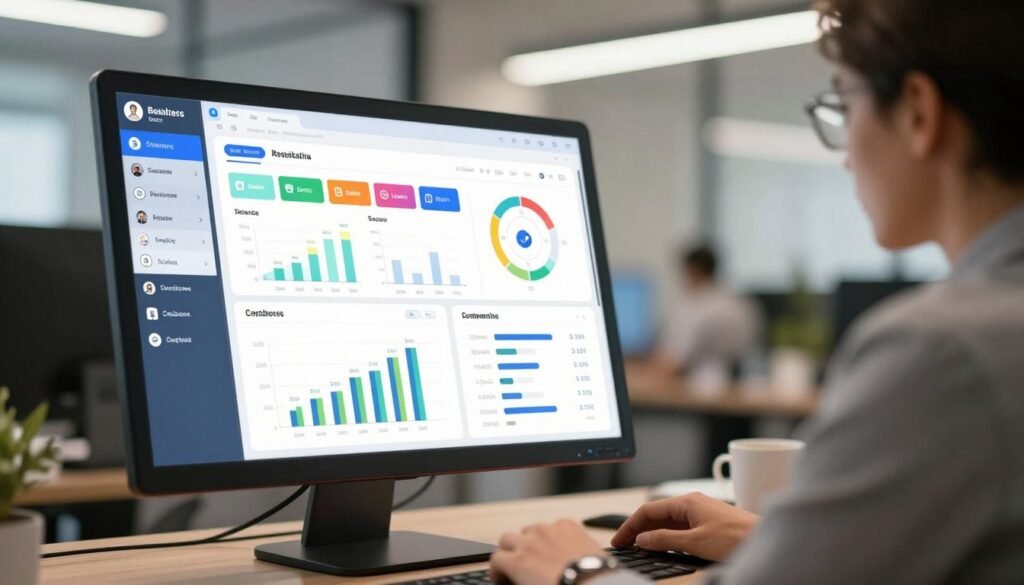
We activate messaging, set response SLAs, and add saved replies to handle FAQs. We also add appointment links and test the phone number so customers can book while intent is high.
We can add call tracking while keeping your main phone number live for consistency. Then we centralize reporting for calls, messages, and bookings so follow-up is simple and measurable.
As an example, a law firm doubled consultations after we matched staff schedules to peak-call heat maps from the dashboard.
Our step-by-step lead handling is practical: triage messages, confirm details, schedule the job, and log outcomes for continuous improvement. That sequence helps scale what works and cut waste.
Measure What Matters with Insights and Reporting
Insights turn activity in the dashboard into decisions that boost leads and lower costs.
We align google business profile insights with CRM and ad platforms to show sourced leads, cost per lead, and revenue. That lets us invest where return is strongest.
Insights reveal how users find your listing — google search versus google maps — the queries they used, and the actions they took: calls, website clicks, and direction requests.
We add UTM tags to website links so your account can attribute clicks and conversions in analytics and CRM. Then we track contact information interactions to measure intent and value.
We audit photo views, refresh content, and monitor customer reviews volume and response rates. We watch negative reviews and positive negative trends because replies affect conversions.
For example, a multi-location clinic used Insights to reallocate ad spend toward high-converting queries. We document each step, measure details week by week, and scale what works.
Those metrics guide marketing choices: refine categories, expand services, update posts, and improve visibility in search results.
Maintain NAP Consistency and Compliance
Small inconsistencies in your listings can silently divert calls and harm rankings.
We standardize your business name formatting and match the address to USPS rules. That keeps map pins accurate and prevents mismatches on other directories.
We keep contact information synced between your website, listing, and third‑party sites. For call tracking, we set the tracking line as the primary phone number and add your main line as an additional phone.
We document category choices and confirm they reflect services and search intent. Regular audits catch unauthorized edits so we can revert harmful changes fast.
As an example, a plumbing business regained local rankings after we fixed inconsistent suite numbers and name abbreviations across listings and google maps.
We maintain a change log with details for compliance and faster troubleshooting when performance shifts. Regular verification in the Edit profile area keeps address, phone number, and other information aligned for clean lead attribution.
From Profile to Pipeline: How We Turn Visibility into Real Clients
Visibility alone won’t grow revenue unless every click has a clear next step.
We map your listing to a measurable pipeline. We align offers, messaging, and calls-to-action across the listing, your website, and paid channels like google ads so user intent turns into real leads.
Our team builds a measurement framework that ties calls, messages, and bookings to revenue—not just clicks or views. We optimize landing pages for speed and clarity so prospects convert after they arrive.
We run service-specific campaigns (emergency repair vs. scheduled maintenance), route leads, and set follow-up SLAs. We also manage lead scripts and routing to keep conversion high and response time low.
We use google ads and listing insights to refine targeting and budgets. An example: a personal injury firm doubled signed cases after we synced listing content, review velocity, call handling, and ads.
To discuss a tailored plan, call us at +1 (645) 201-2398. We focus on lowering acquisition costs and scaling revenue for service businesses across the U.S.
Conclusion
Wrap up your local marketing by turning a complete listing into predictable leads and steady bookings.
A full Google Business Profile improves visibility in local search results and converts users into customers through clear hours, address, photos, and reviews.
Your next steps are simple: claim and verify the listing, complete core fields, add services, upload photos, and post an initial offer. Set messaging, review response routines, and appointment links so prospects can contact you however they prefer.
Example 30‑day plan: week 1 claim/verify, week 2 fill fields and photos, week 3 gather reviews and post, week 4 measure and refine.
We’re ready to help service businesses across the U.S. claim, optimize, and grow with Google Business Profile. Call us at +1 (645) 201-2398 to get started.